No account
Install it and start writing. No sign-up, no sign-in, and we never ask for your name or email.
 Loro
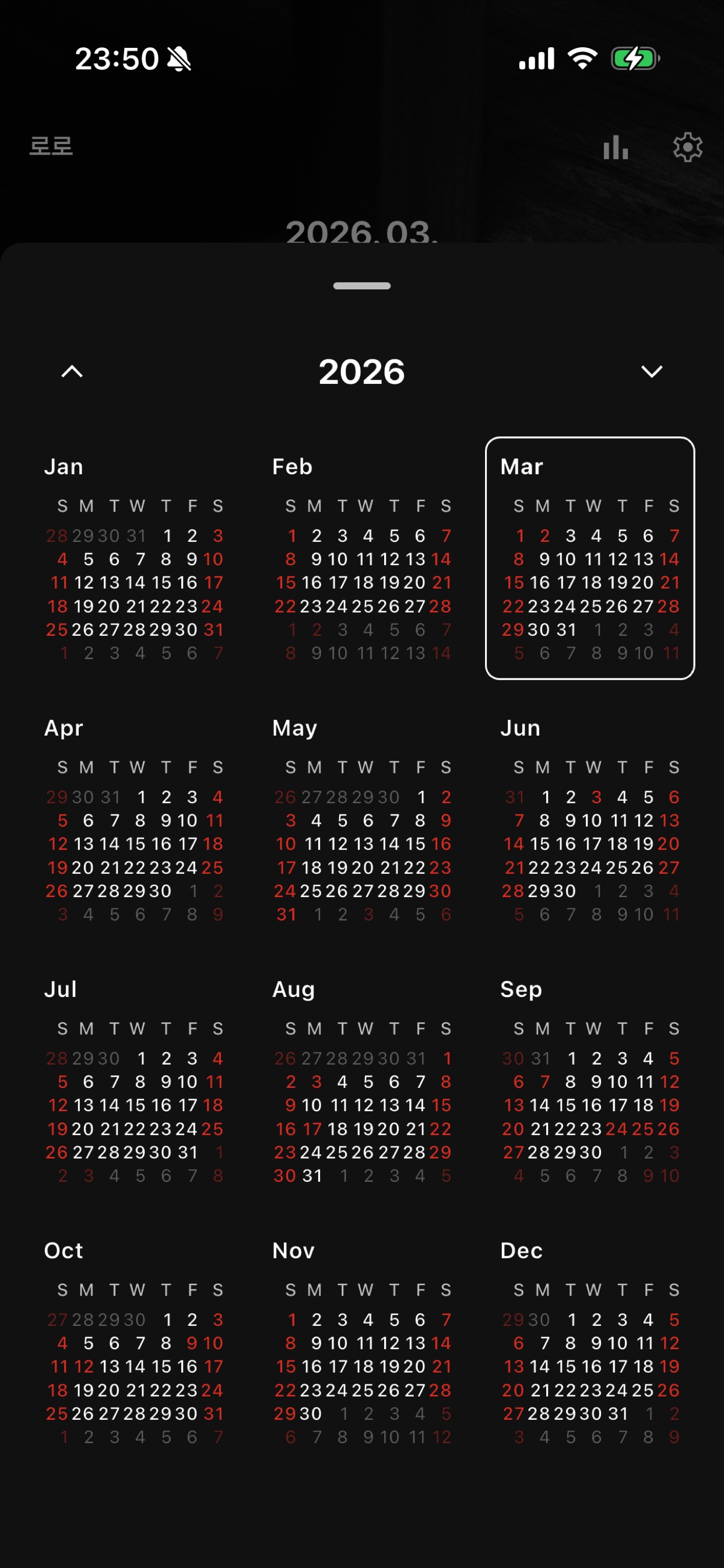
01 / Screens
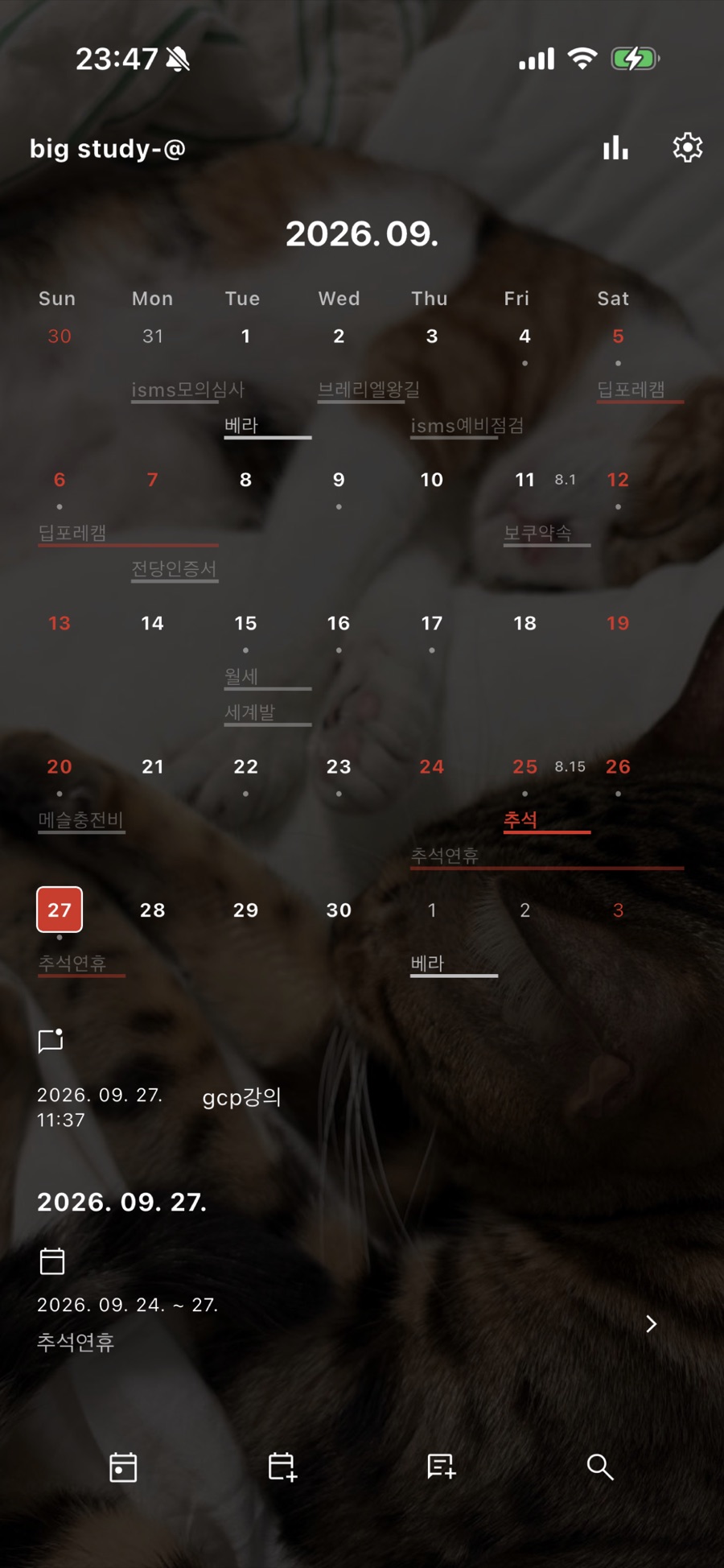
02 / What makes Loro different
Install it and start writing. No sign-up, no sign-in, and we never ask for your name or email.
Events, logs, and notes are stored only on your device by default. Nothing goes to our server unless you turn on Loro Cloud, and you can export everything as a zip (JSON and Markdown) at any time.
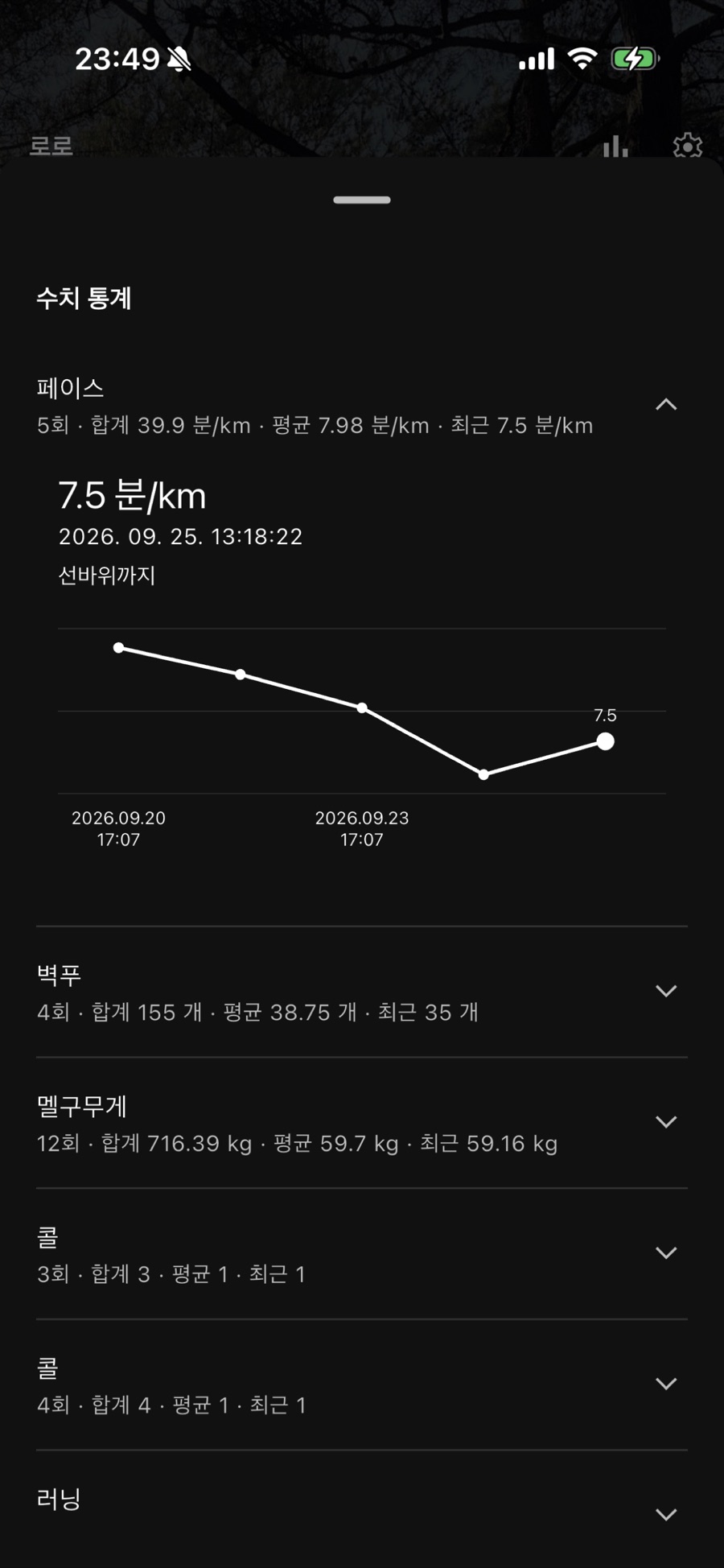
Not a pile of to-dos, but a record of what you actually did. Attach the day's logs to an event and look back at your numbers as graphs. A day you didn't write is just a day you didn't write, not a failure.
03 / Pricing
$0 14 days
$11.99 one-time
$0.49 per month, optional
Prices are for the US App Store, vary by country, and may change. Loro Cloud renews automatically unless canceled at least 24 hours before the current period ends; manage it in your App Store subscriptions.
04 / FAQ
No. Without a purchase you can still view, edit, delete, and export everything you wrote. A purchase is needed only to create new records.
Records live on your device, so keep them with an iCloud device backup or an export. To use Loro on more than one device, turn on backup and sync with Loro Cloud.
No. On an iPhone signed in to the same Apple Account, go to Settings › Purchases & Cloud › Restore Purchases.
The zip has the original JSON and a Markdown folder. The Markdown folder keeps your photos and note links ([[Note title]]), so it opens directly in apps like Obsidian.
Loro is currently available for iPhone only.
05 / Privacy & contact
Send us your questions about using the app, purchases, your data, or privacy.
support@knothink.comHow we handle your information is described in our Privacy Policy.